Issue 26 : Sept/Oct 2002
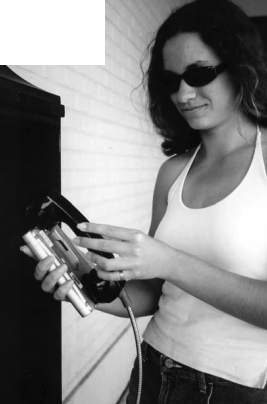
When cruising, we keep in touch with family and friends with email, using our Pocketmail Composer. We bought our Pocketmail device and signed up for the mobile email service in December 2001. Apart from a rough start-up, we have been quite happy.
The system consists of a pocket-sized messaging device, plus a yearly or monthly service you pay to retrieve email using either the device or an Internet-linked computer.
There are several email devices that can be used with the Pocketmail service: Pocketmail’s own Composer, the Sharp Tel-Mail TM-20, and the JVC HC E-100. They all work the same way. To send or retrieve email, you call a toll-free number (in the United States and Canada) and hold the back part of the device up to a personal phone, most payphones, and even some cellular phones. The device communicates with the Pocketmail server until a special grouping of beeps tells you it’s done. Lights on the front of the device tell you the progress being made.
We chose the Pocketmail Composer because of the larger memory (12 MB) and the capability of linking it to our laptop (which we found later to be too much trouble to get it to work consistently). Our rough start was due to our high expectations with the system. We had visions of typing email messages on our laptop, synching them with our Composer, and sending them from any payphone available while we traveled. We even expected to use the system with our Sprint PCS cell phone while we had it.
Difficult to use
But we found the software for the PC link difficult to use even though we consider ourselves to be mini-geeks. And, though the company claims their device will work on PCS phones as well as most other cell phones, we found it worked only sporadically with a Nextel cell phone we tried and has never worked with our Sprint cell phone, even using an analog service.
We found later that Pocketmail does not work with phones that compress and packetize their information (digital cellular phones do this). We have yet to find a payphone that doesn’t work with the system for this reason, but we have been told of their existence.
Since we have numerous email addresses (with two teenagers and a business), we set up the mailbox consolidation feature that allows the user to receive email for up to four different addresses through one Pocketmail email address. We thought this feature would be very handy, but actually it slowed our message-receiving to a wait of two to four days, sometimes more.
We canceled the mailbox consolidation (easily done on the messaging device) and have learned to keep it simple. We use the email-forwarding service available from our web hosting service and type our messages in using the small keypad on the Composer. The keypad is easy to use and becomes second nature within a week.
The advantages to this email system outweigh the disadvantages. The costs involved are small, the messaging device is easy to use, and sending and receiving email messages is quick and painless. We paid $99 for our new Composer and a yearly fee of $149 for the Pocketmail service.
Second-hand device
You may even be able to get a used email device through Internet auctions or from other cruisers. The going rate seems to be about $50 for a used one in good condition. The monthly cost for the Pocketmail service is $14.95.
The service has been quite reliable since we have been using it — it has been down only two days consecutively and another half-day. By talking to others who have used the service for more than a year, we have learned that the company’s reliability has been consistently improving. Weighing the downtimes over the time it takes to find an Internet café, waiting to get online each time, and system slowdowns on the Internet itself with unreliable connections, we find it far better to use Pocketmail. Our email sending and receiving is just a phone call away.
One drawback to the service is the Pocketmail customer-service department. On average, it takes two days for representatives to respond to you through email, the company’s preferred method of contact. There is a telephone number that allows you to speak to a human, but it’s not a toll-free phone call. Problems do eventually get solved with a little patience and sometimes a little money.
There are a few limitations to sending and receiving email with Pocketmail. Messages sent and received are in text format only. HTML-style messages, attachments, or pictures cannot be received or sent. And messages are cut off after a particular number of characters that you set, with an ultimate limit of 6,000. But when you need to, you can send and receive attachments and pictures by using an Internet-linked computer and logging onto the Pocketmail website.
Pocketmail is not a perfect system. But it is quick and easy and works anywhere in the world where a telephone is available. For keeping in touch by email while cruising, we think it is the best choice available.
Thank you to Sailrite Enterprises, Inc., for providing free access to back issues of Good Old Boat through intellectual property rights. Sailrite.com