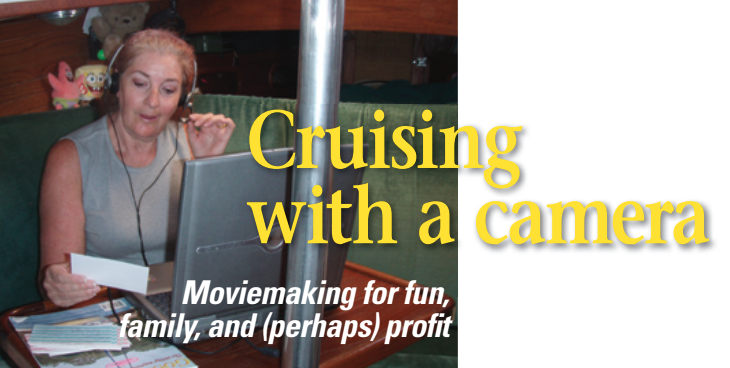
Moviemaking for fun, family, and (perhaps) profit
Issue 60 : May/Jun 2008
Have you ever watched a movie and commented, “I could have done better,” or “I would have done it this way?” Now it’s your turn. With today’s home video cameras and computers, you can make DVDs of your cruises to share your experiences with those who stayed at home and, possibly, to sell.
There must be more than a thousand ways to make your own movies. We found an easy and inexpensive way to get started that works for us. We have been recording our adventures and making DVDs since we started cruising in 2004. We use a Windows computer system, but the basics are the same for any computer. Allow us to add this warning: if you are not on good terms with your computer; if you are not a patient person when it comes to dealing with your computer; or if you can’t tolerate a few failures during the early stages of a project, stop now! If you are comfortable with computers and want to proceed, remember this: do a “save file” and do it often.
The process of making a movie or DVD from your video can be broken down into three steps. First, get the video from your camera into the computer. Second, edit the video into a movie you want to watch. Third, put that movie onto a DVD disk or some other media so you can share it with others.
We decided when we were preparing to go cruising aboard Guenevere, our Nor’Sea 27, that we would not have room to collect a lot of souvenirs along the way. But we did have room for a couple of cameras. So we made the choice that photos and videos taken along the way would serve as our mementos of the places we visited. At the same time, we decided that digital was the way to go. Since we had a laptop on board for Internet access and backup navigation, why not use it to store and view the photos also?
We set off on our adventure and happily snapped hundreds of still photos and hours of video. Throughout our travels, friends and relatives asked us what cruising was like and what we were experiencing as we sailed. We sent photos home and posted as many as we could on our website, but we felt we weren’t conveying the full impact of how great it is out here. A still photo of dolphins frolicking in our bow wave did not impart the wonderment we felt.
Managing the videos
We decided to look into video editing. We needed a way to manage all the videos and pictures we had already taken and those yet to come. And we needed to make use of the equipment we already had aboard and to refrain from adding too much more.
Once we arrived in La Paz, Mexico, we learned via the Internet that our workhorse computer — in addition to showing our still photos — could also be used to edit our videos. So we set about to teach ourselves how to edit videos and create movies.
We went to the Microsoft website and looked up the free Moviemaker software. If you have Windows XP with Service Pack 2, you may already have it on your computer. For us, it was a quick download and installation. Version 2 or higher is much better and easier to work with than Version 1. To see if your computer has what it takes to edit video, download a program called Belarc Advisor. Refer to the sidebar on Page 58 for information on this program.
By reading the requirements of Moviemaker, we discovered that we would need a computer that had a CPU with a speed better than 600 megahertz (MHz). Once we were sure our laptop was fast enough, we checked to see that it was running the Windows XP operating system and Service Pack 2. Then — as we were planning to send our videos home on a disk — we made sure that the CD/DVD drive in our laptop could write to disks as well as read them. We were in luck, our machine did all that and had some CPU speed to spare.
This is a sobering fact: it takes about 3.7 megabytes of hard-drive space per second of video. So make sure you have a large hard drive. If you do not have enough space on your internal hard drive, you can get an external hard drive. Most of the small ones (up to 100 gigabytes) can be purchased for around $100. A good idea is to find the type that uses a USB cable and is also powered by that USB cable.
Firewire cable
We next found that a cable was required to get the video from the camcorder to the computer. We tried using a simple USB cable, but the sound was not transferred. We had video but no sound. We found that what is really needed is something called a Firewire, or “IEEE 1394,” cable. But not just any Firewire cable will do. As it turns out, a Firewire cable can have at least two different types of end plugs.
Our camera has one type of Firewire connection, but our computer had no Firewire port. We solved this problem with a trip to the local computer store. They sold us what is called a PCMCIA card that fits in the oblong thin slot on the side of most laptops, including ours, and contains three Firewire ports. The cost was about $30. Along with the PCMCIA card, the package also contained a free basic video-editing program. This gave us two programs to test and play with. As long as we were purchasing the card, we also bought the proper Firewire cable.
With card and cable in hand, we happily headed back to the boat and computer, thinking all was right with the world and that we only had an hour or so of work to do before the folks back home could share our joy. We still had much to learn.
Once we got back to the boat, the hardware setup was simple. We put the PCMCIA card in the laptop slot and turned on the laptop. Our computer recognized the card and did a quick installation. A disk with software and instructions was included in case the computer did not recognize the card.
Next, we plugged one end of the Firewire cable into the PCMCIA card and the other into the camcorder. Then we turned on the camcorder to the “Play” or “VCR” setting. A window popped up on the screen asking us if we wanted to copy video to our computer using Moviemaker. Not sure of what we were doing, we clicked “No” and closed the window. We now know that if we had responded with a “Yes,” the computer would have automatically launched the Moviemaker program all set to save the video to the computer.
Simple to use
Next we opened the Moviemaker program and found it was simple to use. On the left side of the screen are categories like the three steps we mentioned earlier: get the video, edit the video, and share the video. It also has a tips section that explains how everything plays together.
Once you have followed all the steps, if you are still with us — and if your computer is not out the window or in the trash — and furthermore if you have made a video that friends and family truly enjoy (they’re not just being polite, are they?) it might be time to purchase one of the better video-editing programs. Most of the other programs range in price from less than $50 to well over $5,000, and they all work in about the same way. They all use the same basic three steps. The more you spend, the more control you’ll have and the more complex the program will be.
There are a number of companies that have some very good video tools. Refer to the list in the sidebar. Start with one of the basic editors and see how you like it. If it’s not easy to use, you won’t be out a lot of dollars. If you find one you like, they all seem to provide a credit if you decide to upgrade to a more comprehensive program.
And we initially thought this was going to be a fast process . . .
If you believe your video might sell on the open market, you are now in for yet another adventure. We decided to see if our DVD would sell by test marketing. We were fortunate enough to be in La Paz during a get-together called BayFest. The event offers games, seminars, and movies. That year the BayFest organizers wanted to show two movies. Our first production was chosen as one of the movies. In addition, we were allowed to sell copies on the day our movie was shown.
Audience reactions
This was an opportunity we could not pass up. About 100 people would be watching our DVD. About 75 percent of the participants had not yet been up into the Sea of Cortez. We hoped that a few of these might want to purchase a copy in order to preview the area.
During the movie showing, we watched for audience reactions. We were glad we didn’t hear any “Boos!” On the whole, it went very well and we got some good feedback from members of the audience.
Now for the surprise: we had hoped to sell a few copies to the new cruisers. As it turned out, we did sell a number of DVDs but not one to any of the new people. Every sale was to someone who had already cruised the Sea of Cortez for at least one year and up to four years. Some who purchased a copy told us they wanted to send it home to show their family what cruising in this area is about. We considered this to be good praise, since that was what we were trying to accomplish in the first place.
Now that we had actually sold a few DVDs, we wanted to reach a wider audience. We decided, however, that any method we chose must not interfere with our cruising. We did not want to interrupt our travels to run home to market them. Nor did we want to saddle our relatives with filling orders.
Back online once more, we looked up “publish on demand” and found a couple of sites that would do this. We reviewed each with regard to cost and benefits and made our decision based on what we felt we needed. We made the best decision for ourselves but, if you decide to go this way, you’ll need to make your own choice based on your needs.
Soon afterward, we were contacted by a couple of wholesalers. This was very exciting. Who wouldn’t be flattered and excited by the prospect of selling massive quantities of the videos in large markets? However, once we got a copy of the contracts from each wholesaler, we knew we couldn’t go this route. They all wanted to revise the artwork on the case, the face of the DVD, and even the video itself. We felt it was better to sell a much smaller number of DVDs and maintain control of our products, rather than to allow someone else to make changes we did not like. We had to remember our starting position. We wanted to show our family and friends what it was like to cruise this area.
We hope we’ll have saved you a couple of steps. Good luck. We’ll be looking for your videos on the small screen.
Greg and Jill Delezynski spent their working careers dreaming of sailing off to warm waters. In 1996, after moving to the San Francisco Bay area, they moved aboard Guenevere, their Nor’Sea 27, and started preparations to the boat and themselves. They were profiled by Good Old Boat in the November 2002 issue. In 2004, they made the jump: they retired from the working world, sailed out under the Golden Gate Bridge, and turned left.
Thank you to Sailrite Enterprises, Inc., for providing free access to back issues of Good Old Boat through intellectual property rights. Sailrite.com